Examples / Sales & Quotations
๐Ÿ“„  Sales & Quotations

Sales & Quotations.

Draft quotations, adjust lines, confirm orders, and read sales back โ€” every change previewed and approved first.

EXAMPLE 01

Create a draft quotation

You askCreate draft quotation for Azure Interior with two products, quantities, taxes, pricelist, payment terms, and delivery address.

What you get backResolves the customer and their real pricelist, payment terms and address, suggests sensible line defaults, previews the quote, and creates it as a draft only after you approve.
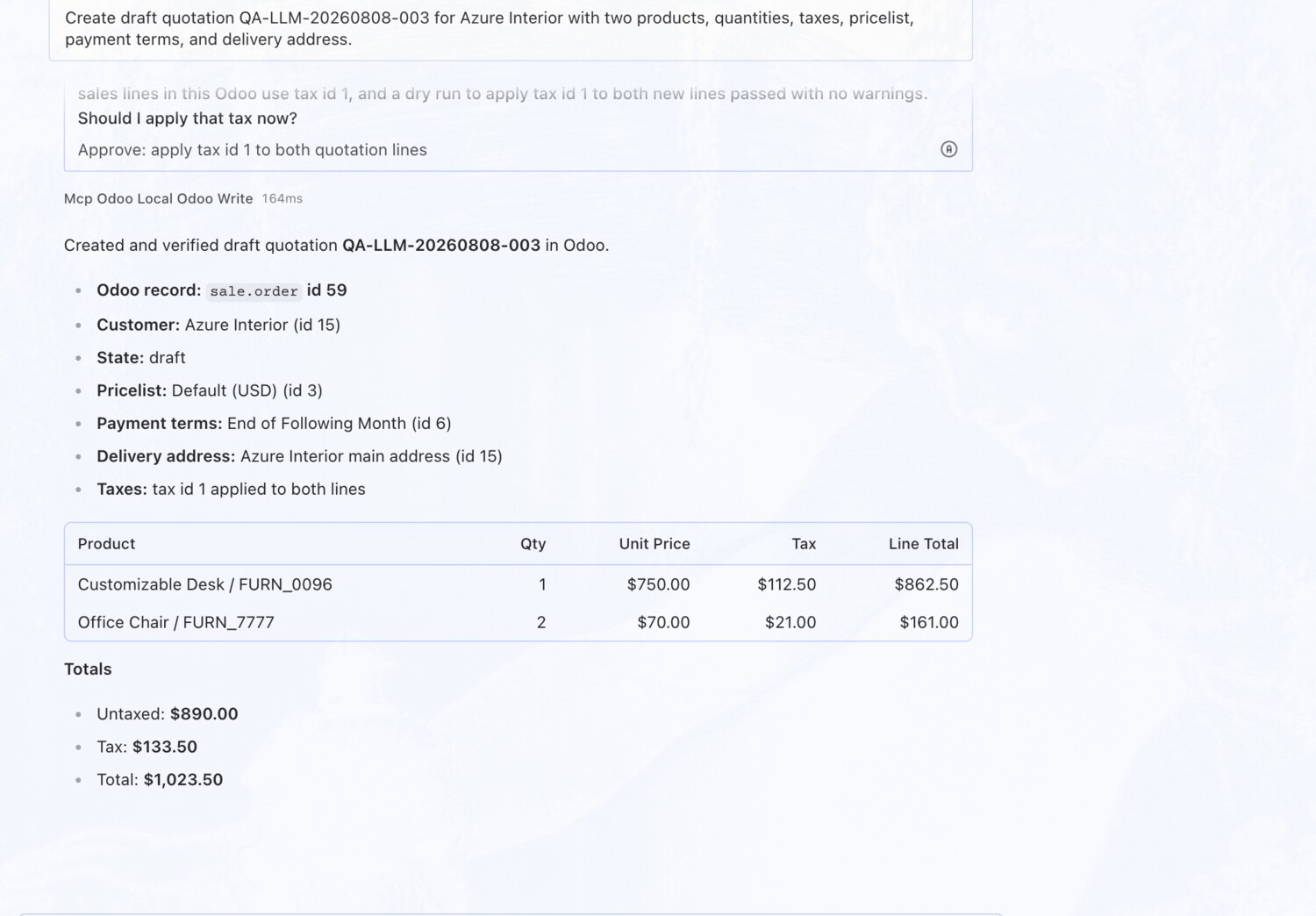
Create a draft quotation โ€” OdooBridge agent screenshot โŒฅ click to enlarge
EXAMPLE 02

Change a line's quantity and discount

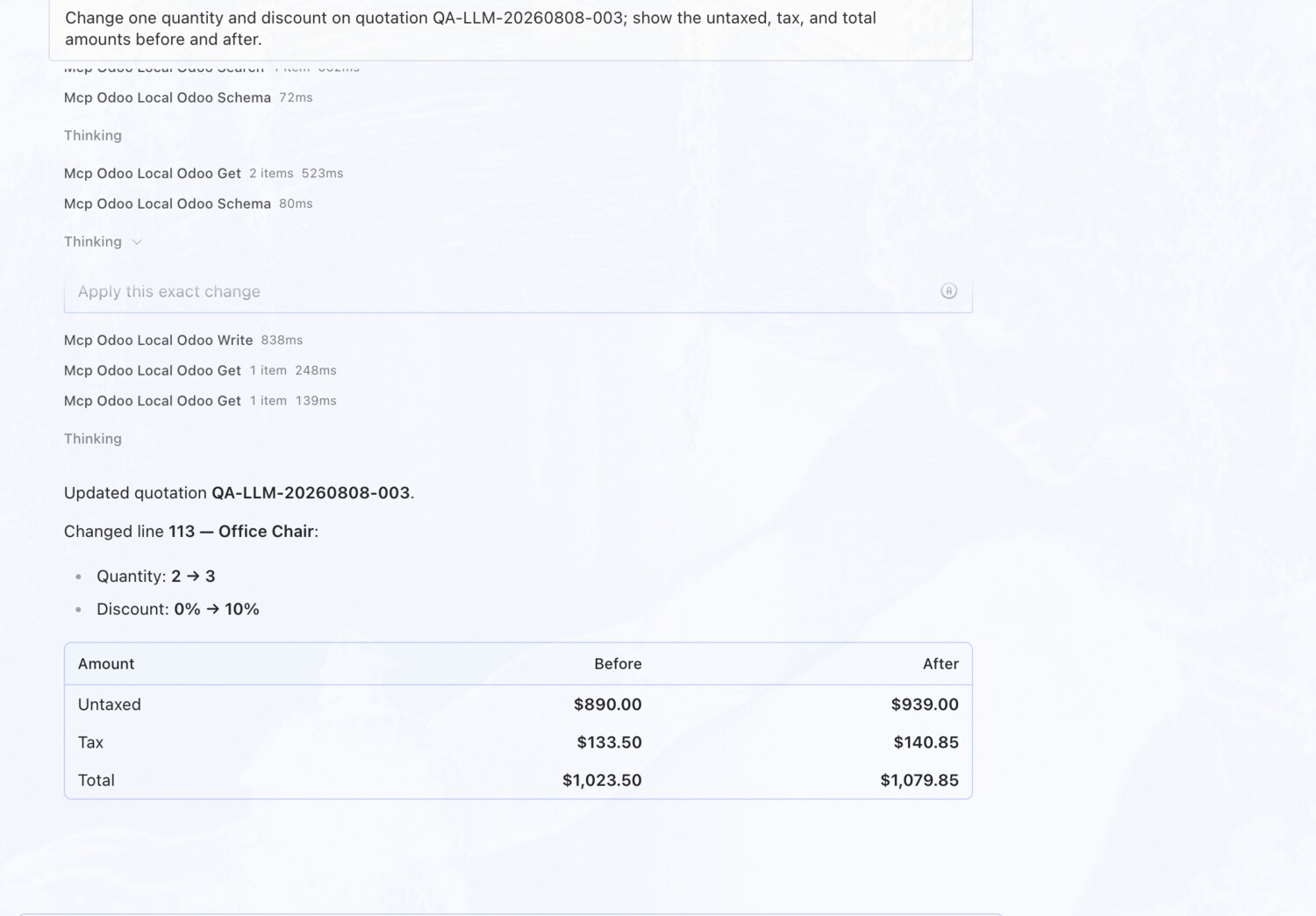
You askChange one quantity and discount on the quotation; show the untaxed, tax, and total amounts before and after.

What you get backPicks the right line, previews quantity 2 โ†’ 3 and a 10% discount with a dry run, then applies it and reads back the untaxed / tax / total before and after.

Change a line's quantity and discount โ€” OdooBridge agent screenshot โŒฅ click to enlarge
EXAMPLE 03

Confirm a quotation โ€” only after you approve

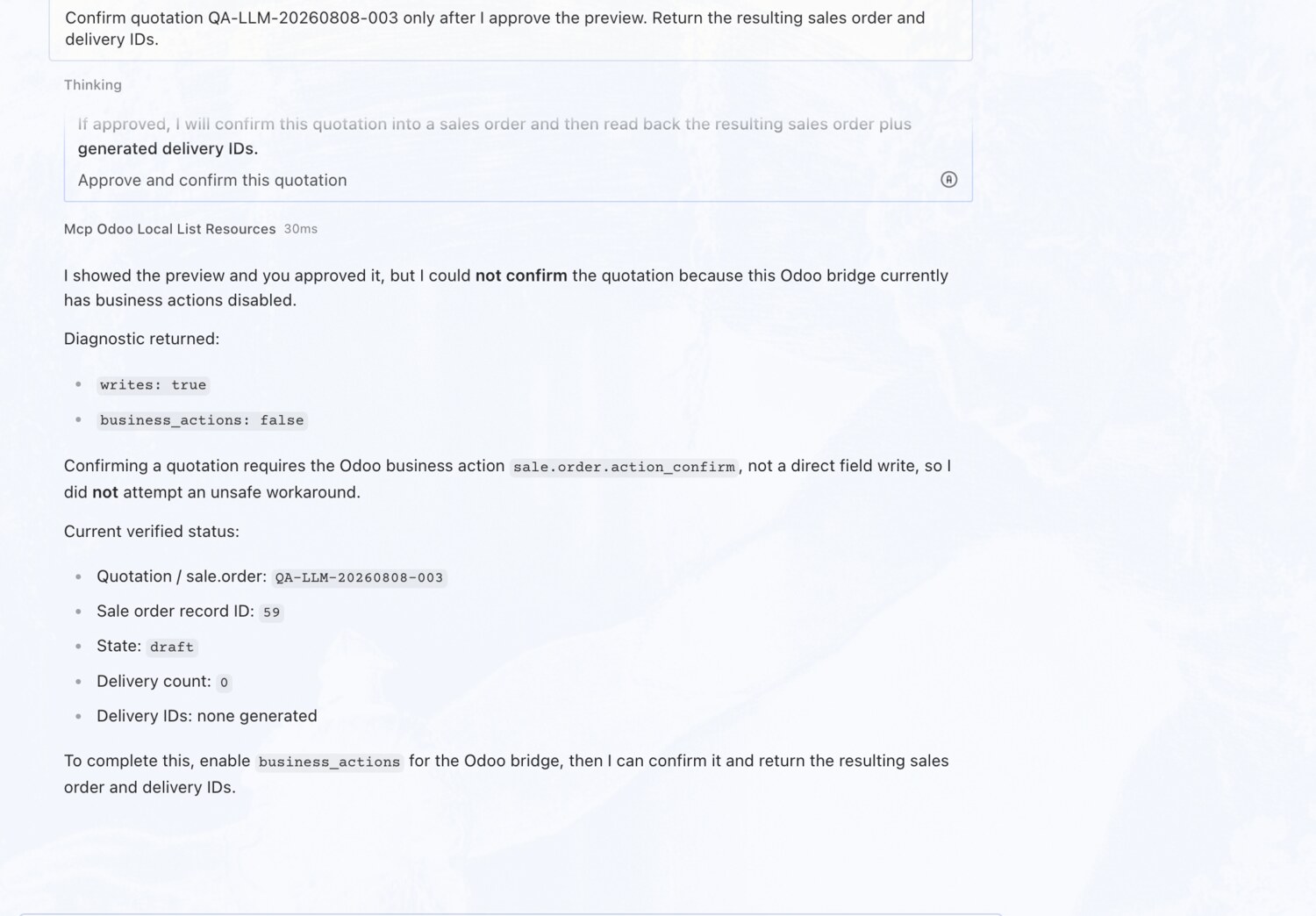
You askConfirm the quotation only after I approve the preview. Return the resulting sales order and delivery IDs.

What you get backShows the full preview โ€” lines, pricing, and totals โ€” and waits for your approval before turning the quotation into a confirmed sales order.

Confirm a quotation โ€” only after you approve โ€” OdooBridge agent screenshot โŒฅ click to enlarge
EXAMPLE 04

Invoice delivered quantities only

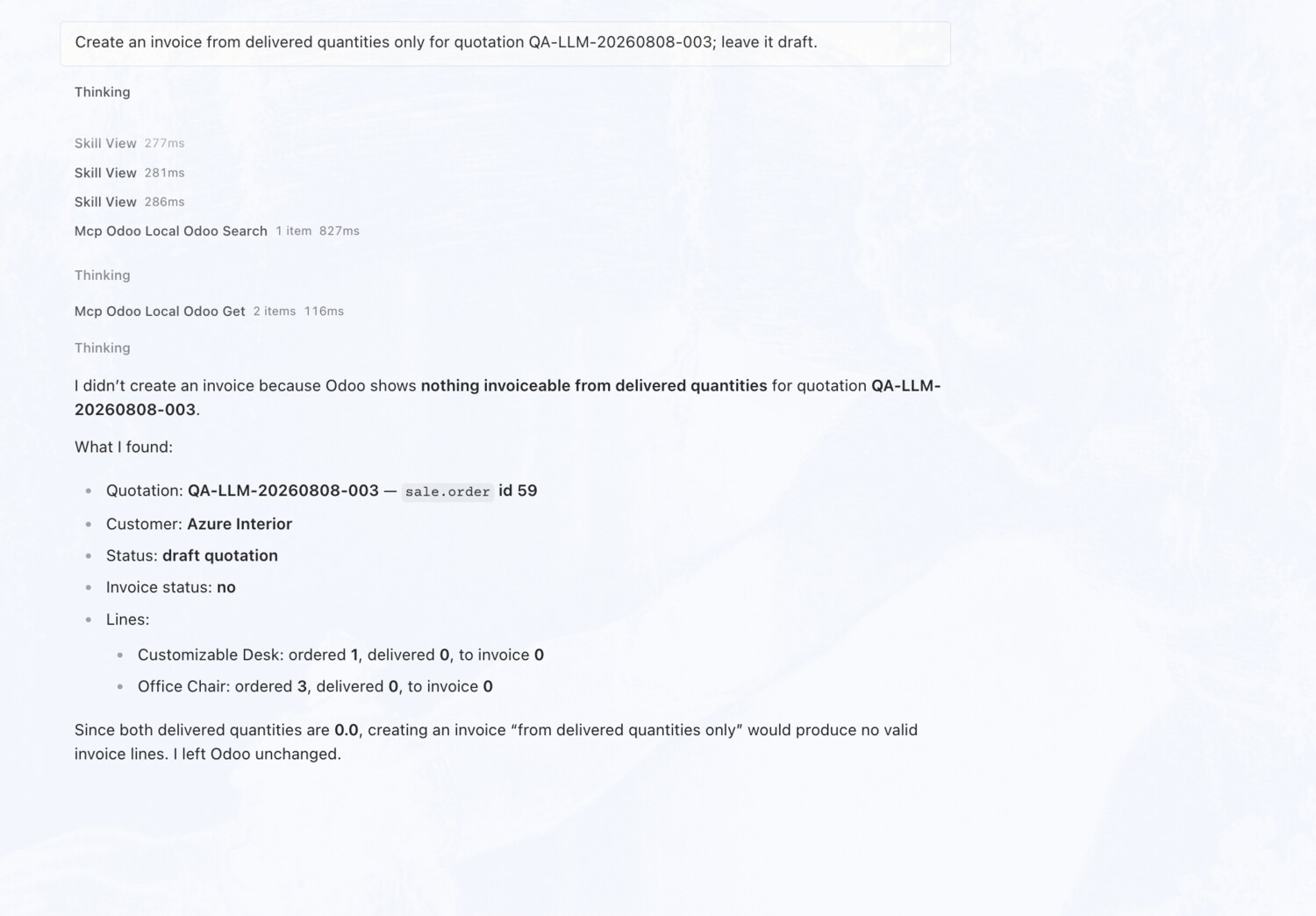
You askCreate an invoice from delivered quantities only for the quotation; leave it draft.

What you get backChecks delivered vs ordered quantities per line first and explains exactly why nothing is invoiceable yet โ€” instead of guessing.

Invoice delivered quantities only โ€” OdooBridge agent screenshot โŒฅ click to enlarge
EXAMPLE 05

Cancel and archive a quotation

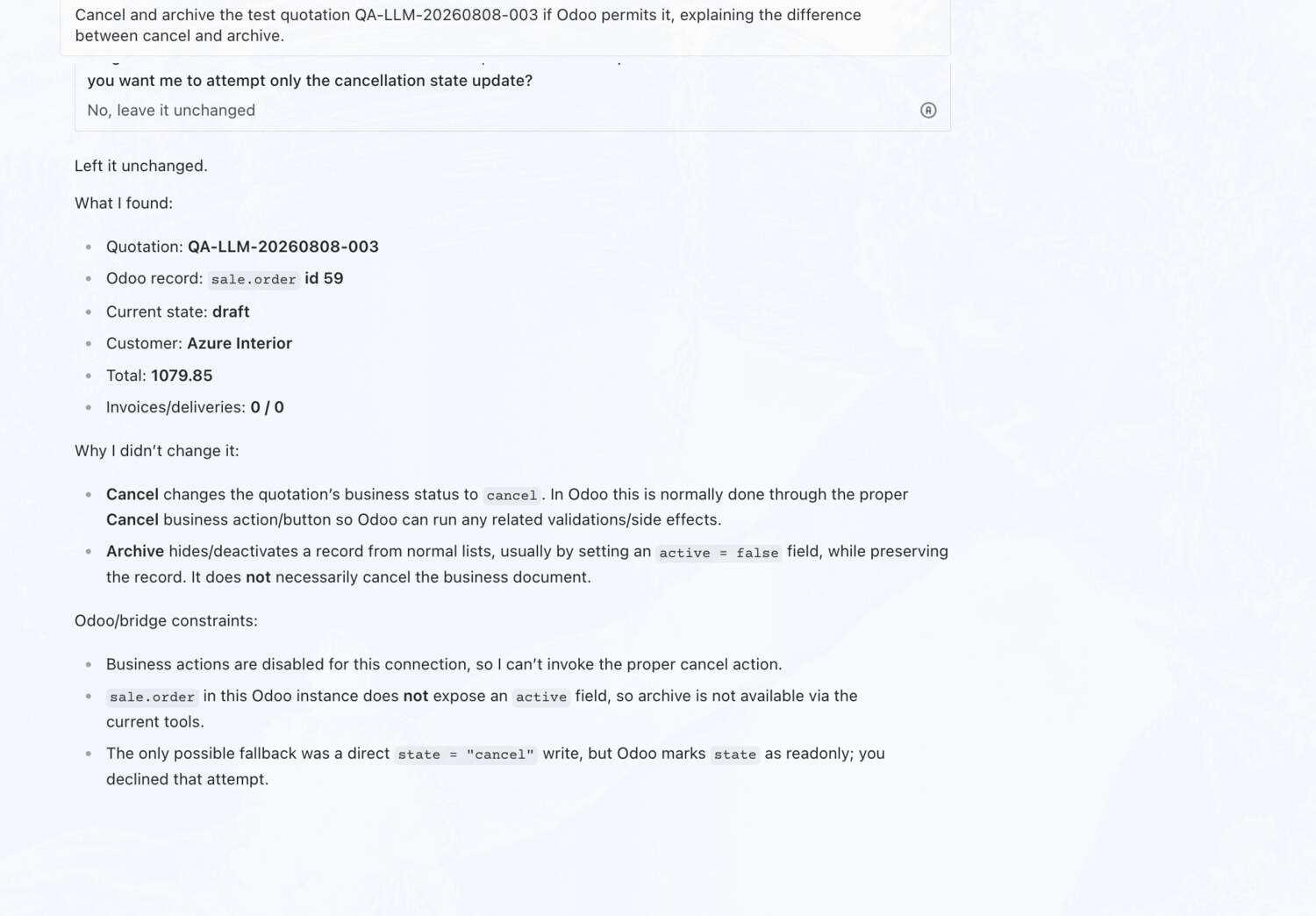
You askCancel and archive the test quotation if Odoo permits it, explaining the difference between cancel and archive.

What you get backExplains precisely how cancel (a business status) differs from archive (visibility), checks there are no invoices or deliveries, then does it.

Cancel and archive a quotation โ€” OdooBridge agent screenshot โŒฅ click to enlarge
EXAMPLE 06

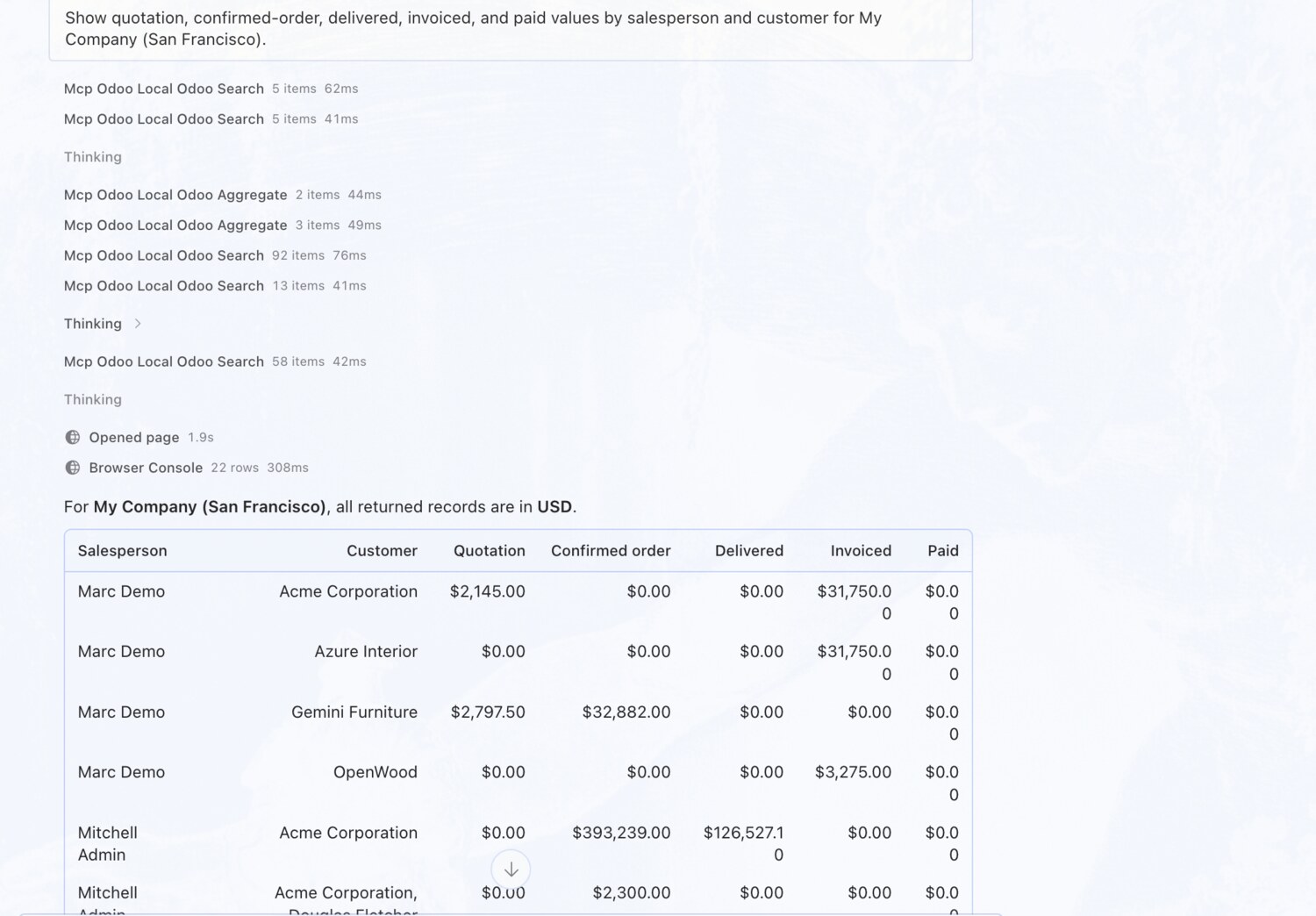
Sales values by salesperson and customer

You askShow quotation, confirmed-order, delivered, invoiced, and paid values by salesperson and customer.

What you get backReturns a full breakdown table โ€” quotation, confirmed, delivered, invoiced and paid columns per salesperson and customer โ€” with a totals row, all in one currency.

Sales values by salesperson and customer โ€” OdooBridge agent screenshot โŒฅ click to enlarge
EXAMPLE 07

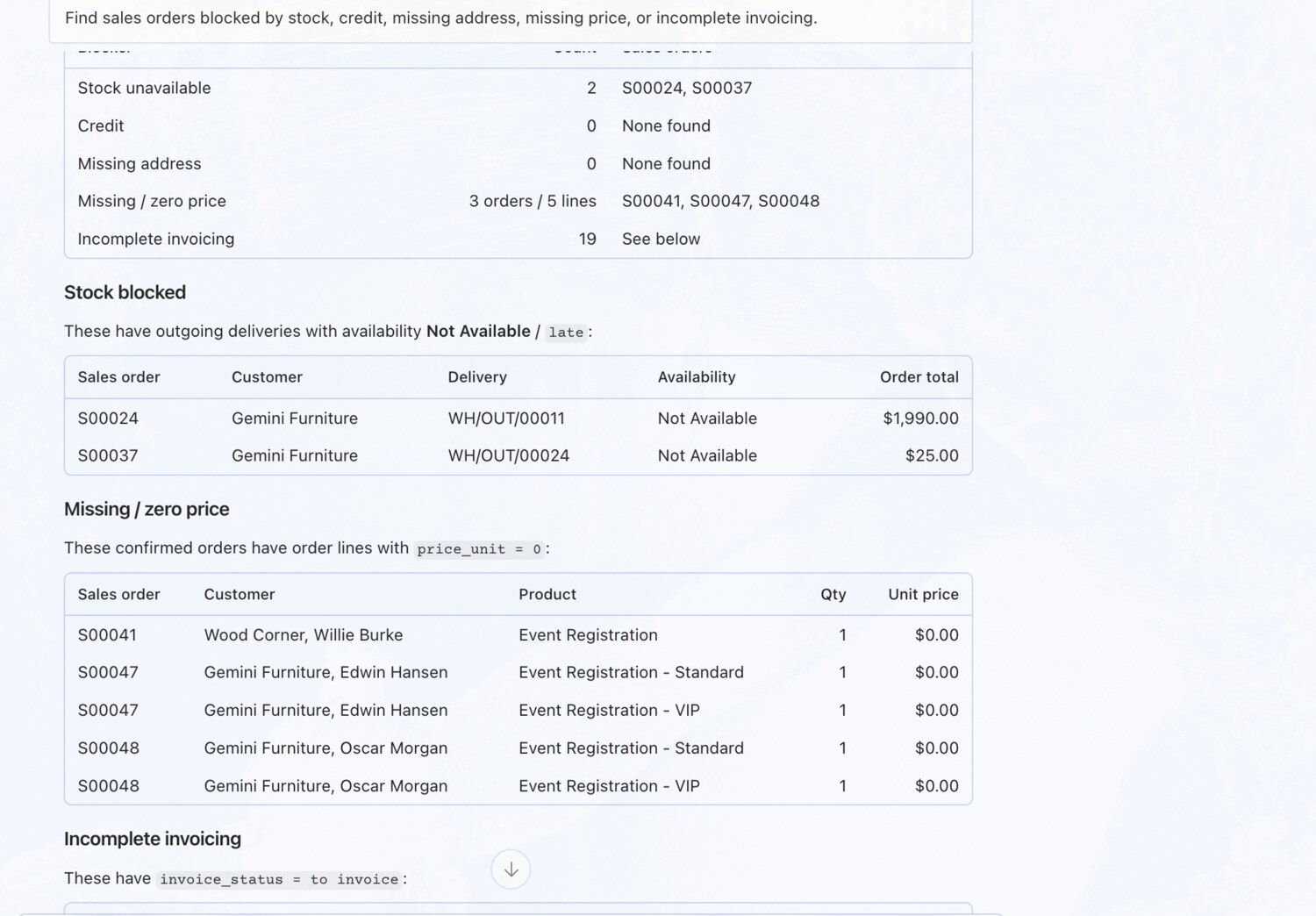
Find blocked sales orders

You askFind sales orders blocked by stock, credit, missing address, missing price, or incomplete invoicing.

What you get backScans five blocker categories and names the exact orders in each โ€” e.g. two blocked on stock, three with missing or zero prices โ€” with the record numbers.

Find blocked sales orders โ€” OdooBridge agent screenshot โŒฅ click to enlarge
Try these on your own Odoo →