Examples / Products & Inventory
๐Ÿ“ฆ  Products & Inventory

Products & Inventory.

Update pricing, change product types, and archive products โ€” each after analysing the stock, valuation and document impact.

EXAMPLE 01

Change a product's sale price (not its cost)

You askChange the sale price but not the cost to 149.00; show affected pricelists and draft documents and prove historical confirmed docs are untouched.

What you get backPreviews the price change, applies it after approval, and verifies the cost stayed put and historical confirmed documents were not rewritten.
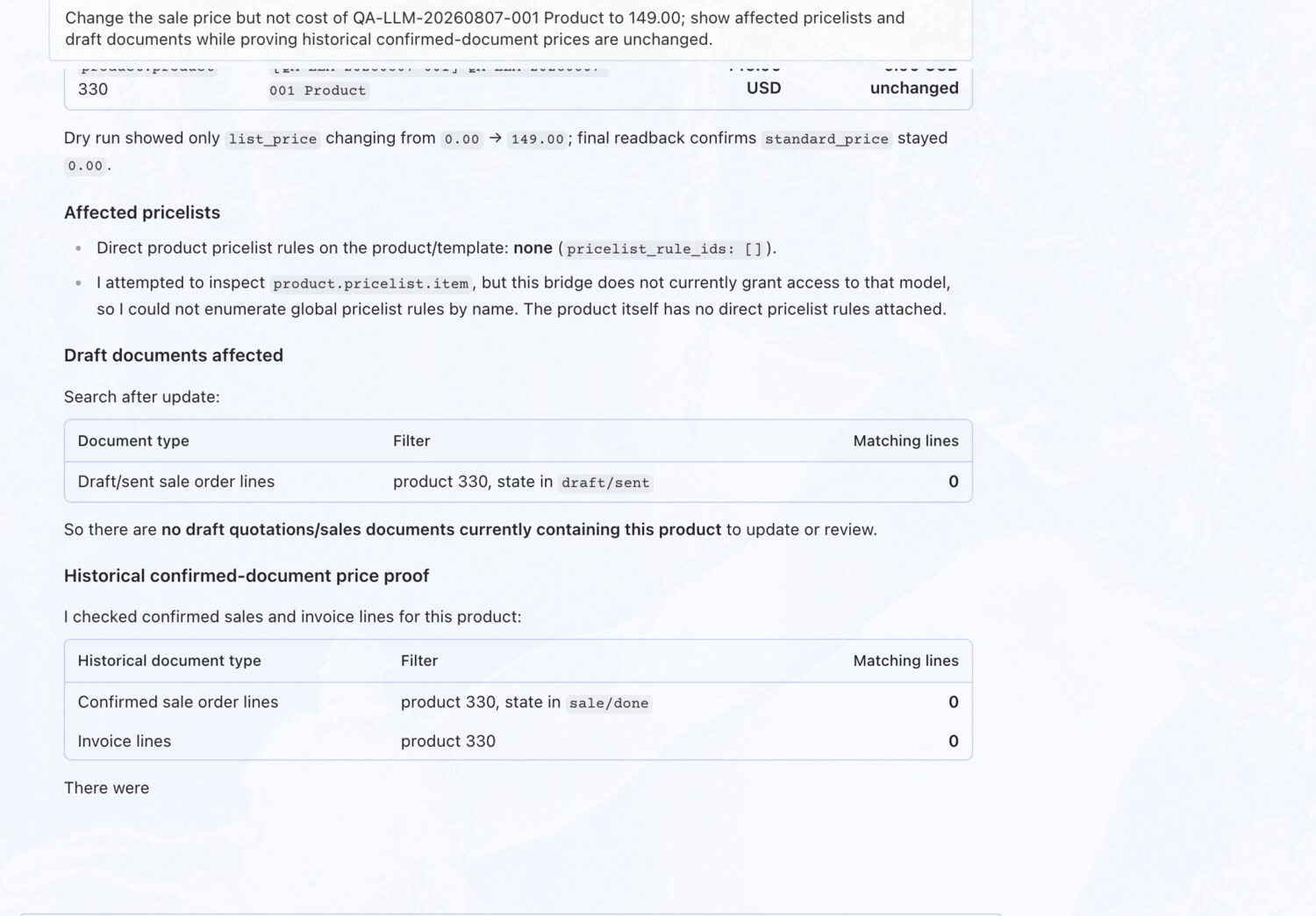
Change a product's sale price (not its cost) โ€” OdooBridge agent screenshot โŒฅ click to enlarge
EXAMPLE 02

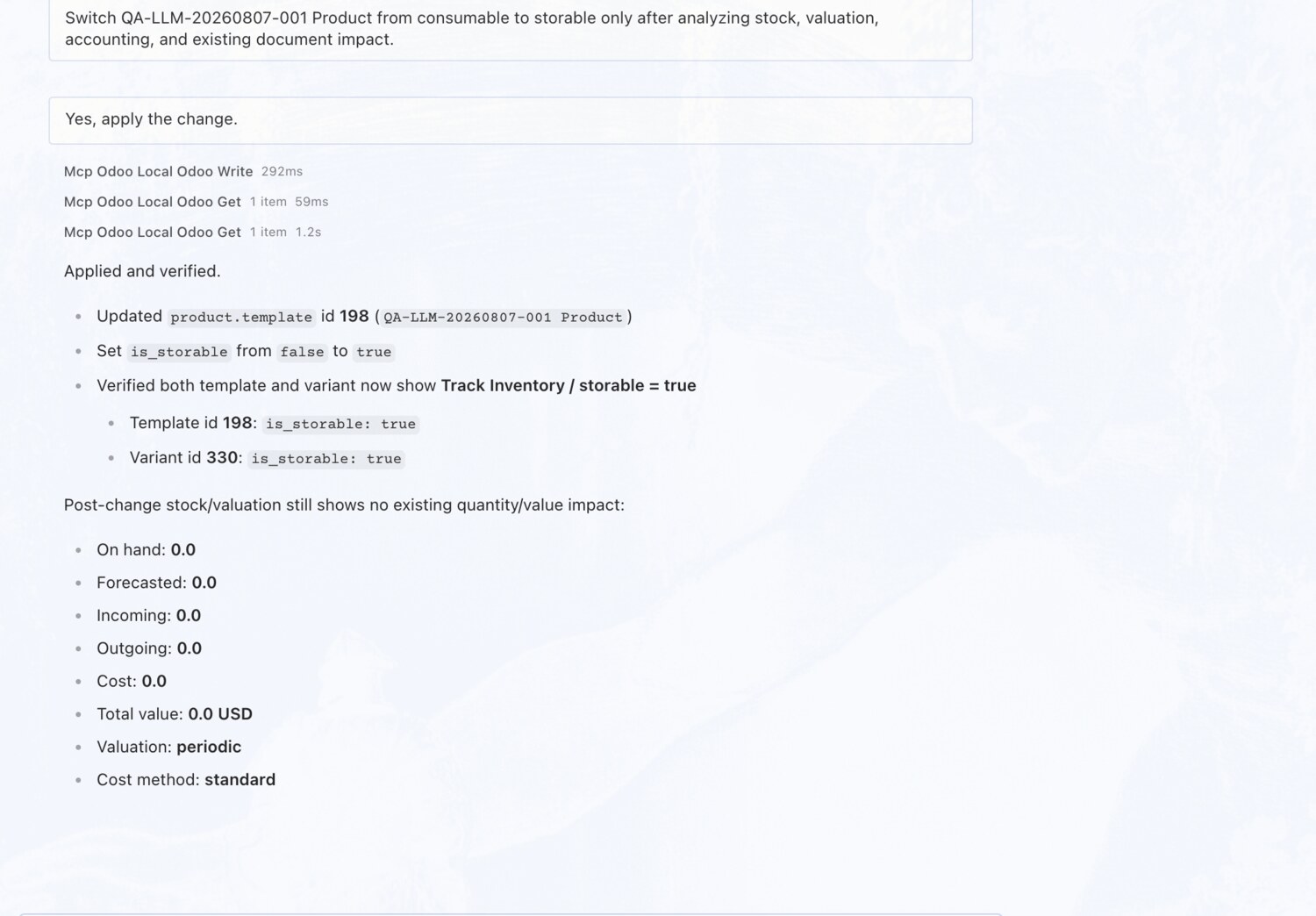
Switch a product to storable โ€” after an impact check

You askSwitch the product from consumable to storable only after analyzing stock, valuation, accounting, and existing document impact.

What you get backRuns a four-step analysis โ€” stock, valuation, accounting and existing documents โ€” confirms the change is safe, then makes it.

Switch a product to storable โ€” after an impact check โ€” OdooBridge agent screenshot โŒฅ click to enlarge
EXAMPLE 03

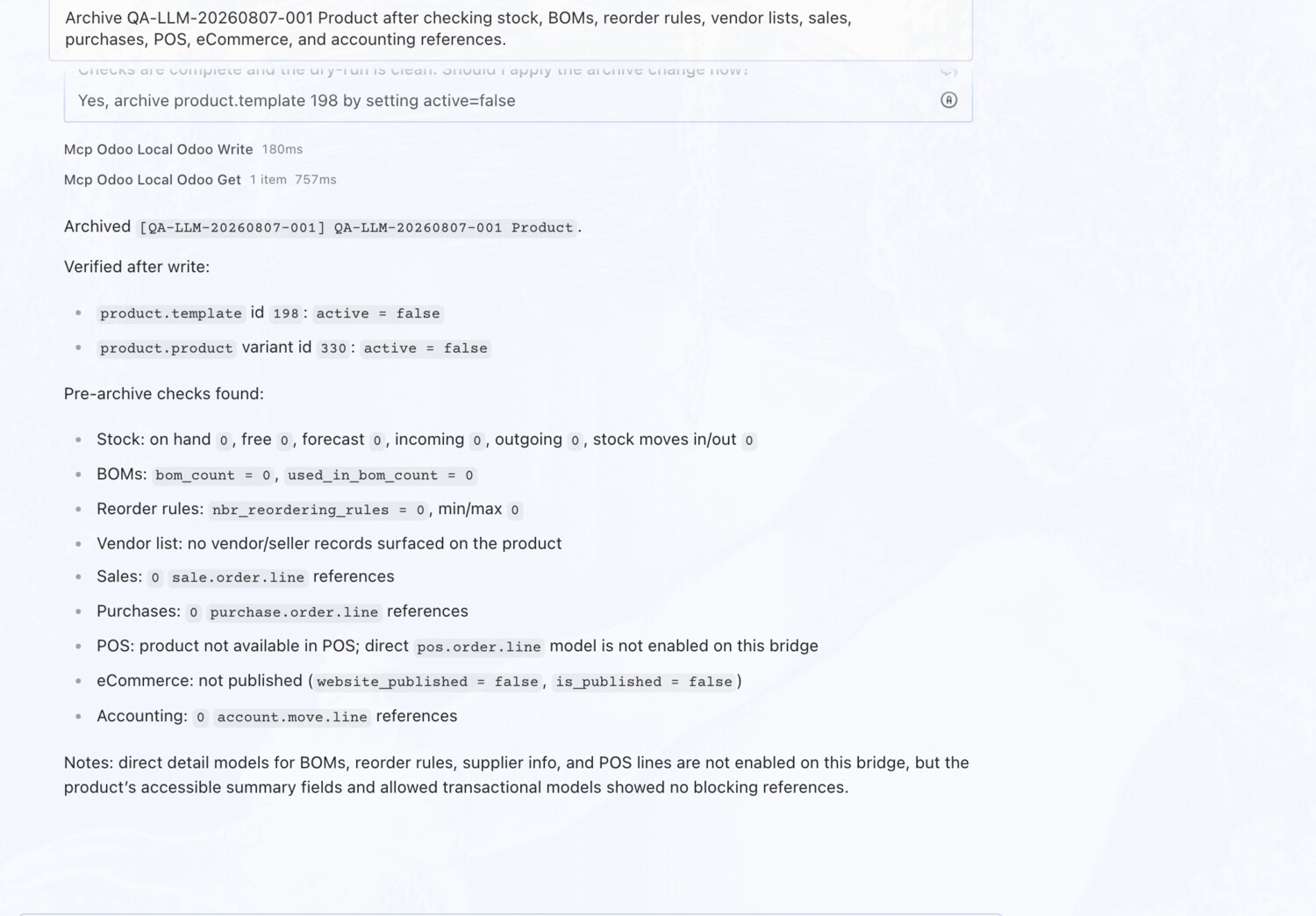
Archive a product โ€” after checking every dependency

You askArchive the product after checking stock, BOMs, reorder rules, vendor lists, sales, purchases, POS, eCommerce, and accounting references.

What you get backVerifies stock, bills of materials, reorder rules, vendors, sales, purchases and accounting are all clear before archiving โ€” so nothing breaks downstream.

Archive a product โ€” after checking every dependency โ€” OdooBridge agent screenshot โŒฅ click to enlarge
Try these on your own Odoo →