Examples / CRM & Pipeline
๐ŸŽฏ  CRM & Pipeline

CRM & Pipeline.

Read the pipeline, create and qualify leads, convert to opportunities, and move deals โ€” with the state shown before every change.

EXAMPLE 01

Summarize the pipeline by stage and salesperson

You askSummarize pipeline value, probability, expected revenue, and average age by stage and salesperson.

What you get backGroups every active opportunity by stage ร— salesperson with pipeline value, average probability, expected revenue and average age, plus stage totals and a grand total.
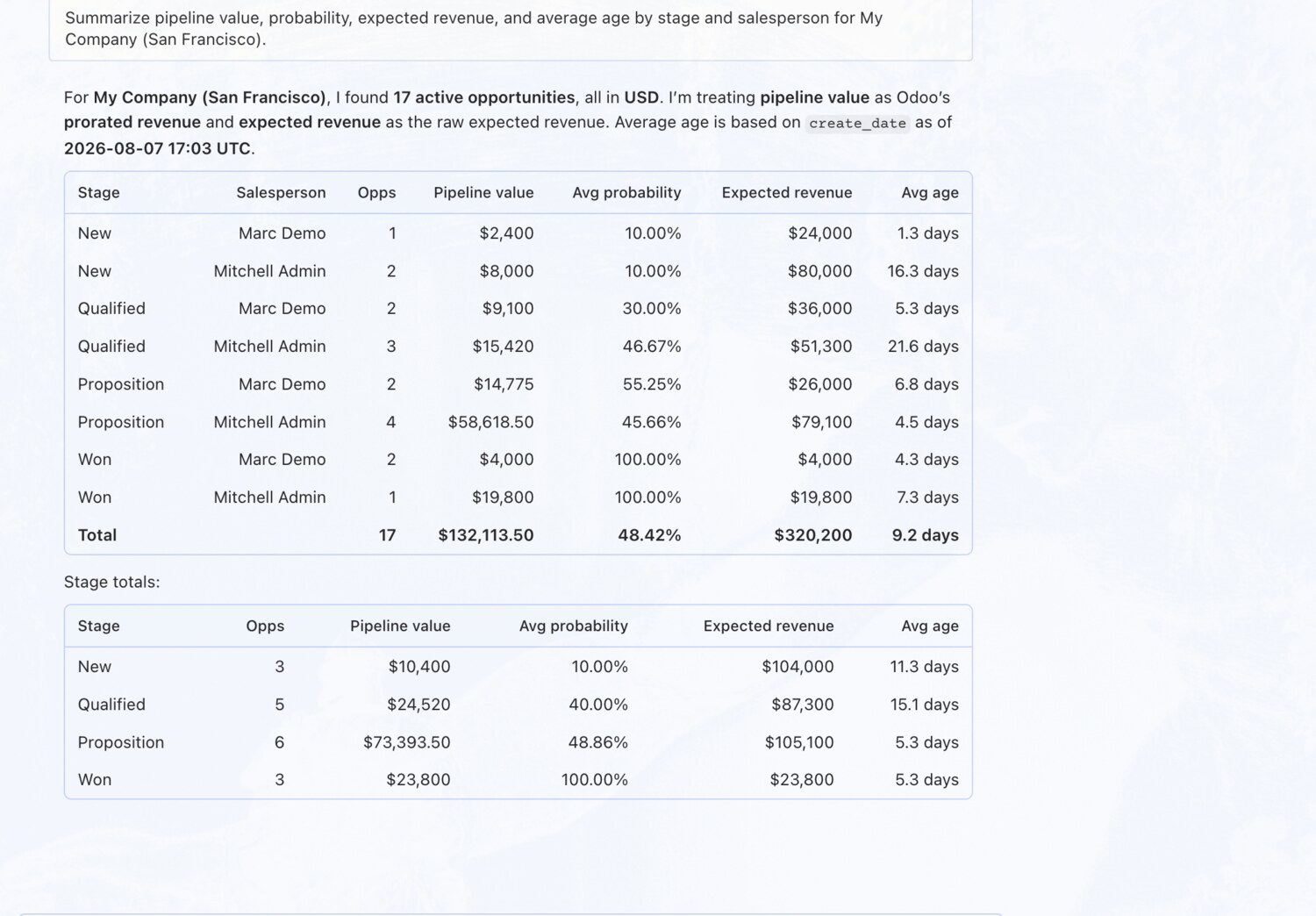
Summarize the pipeline by stage and salesperson โ€” OdooBridge agent screenshot โŒฅ click to enlarge
EXAMPLE 02

Create a qualified lead

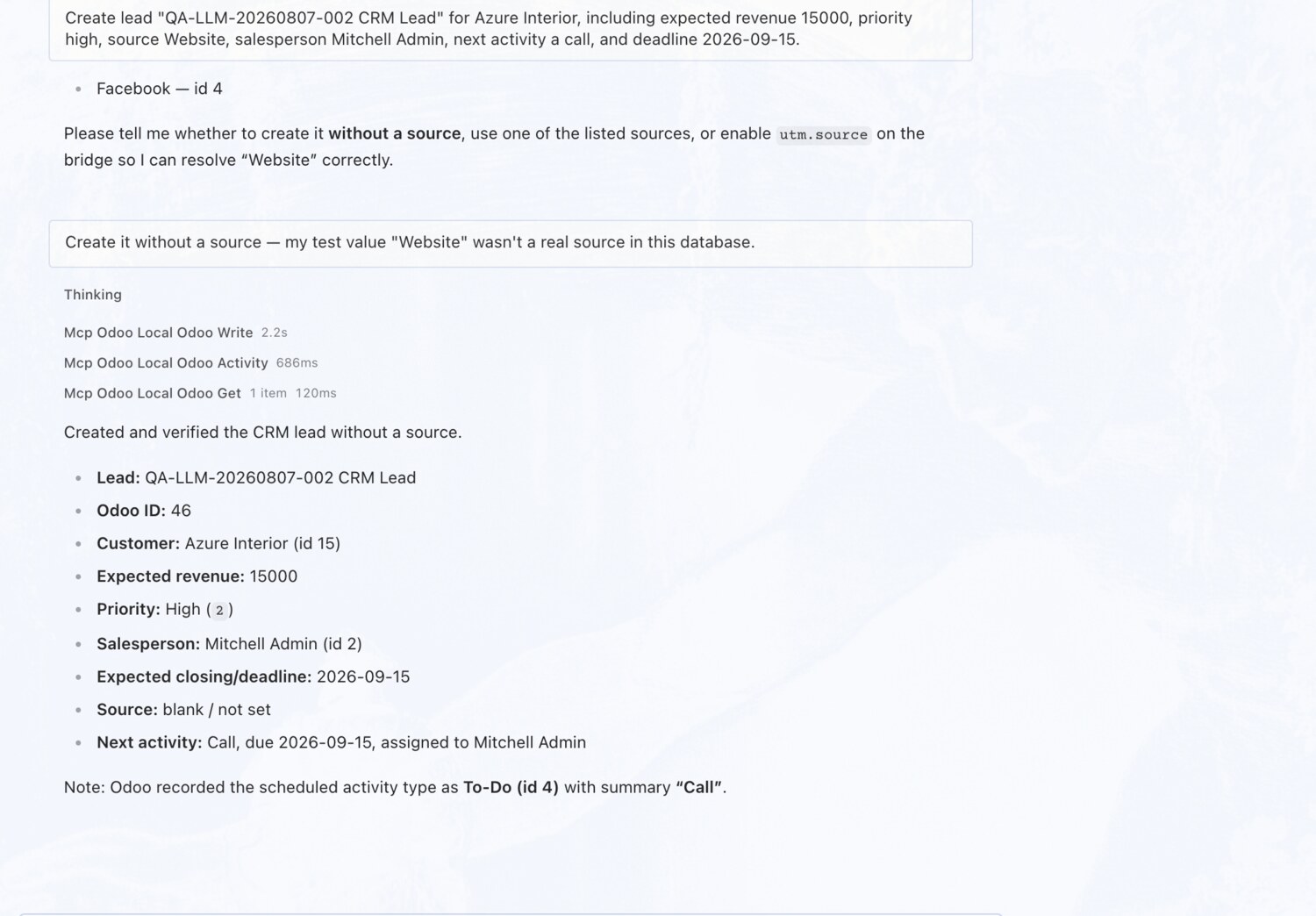
You askCreate a lead for Azure Interior with expected revenue 15000, priority high, source Website, salesperson Mitchell Admin, and a next activity.

What you get backResolves the customer, source and salesperson to real records, previews the lead, and creates it โ€” validating each field against Odoo rather than guessing.

Create a qualified lead โ€” OdooBridge agent screenshot โŒฅ click to enlarge
EXAMPLE 03

Update revenue and schedule a follow-up

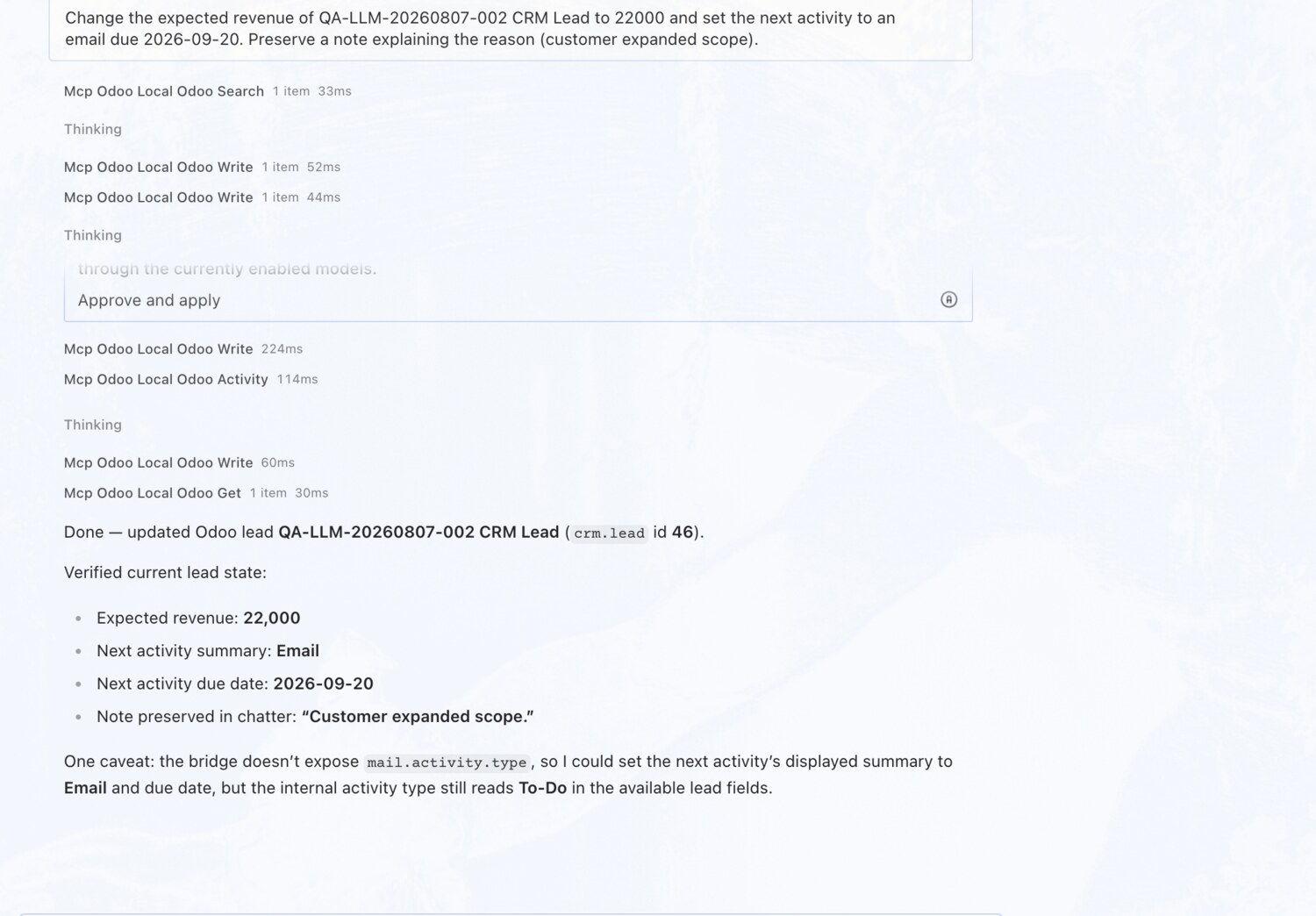
You askChange the expected revenue to 22000 and set the next activity to an email due 2026-09-20. Preserve a note explaining the reason.

What you get backUpdates the expected revenue, schedules the dated follow-up activity, and leaves a chatter note explaining the change โ€” all in one reviewed step.

Update revenue and schedule a follow-up โ€” OdooBridge agent screenshot โŒฅ click to enlarge
EXAMPLE 04

Convert a lead to an opportunity

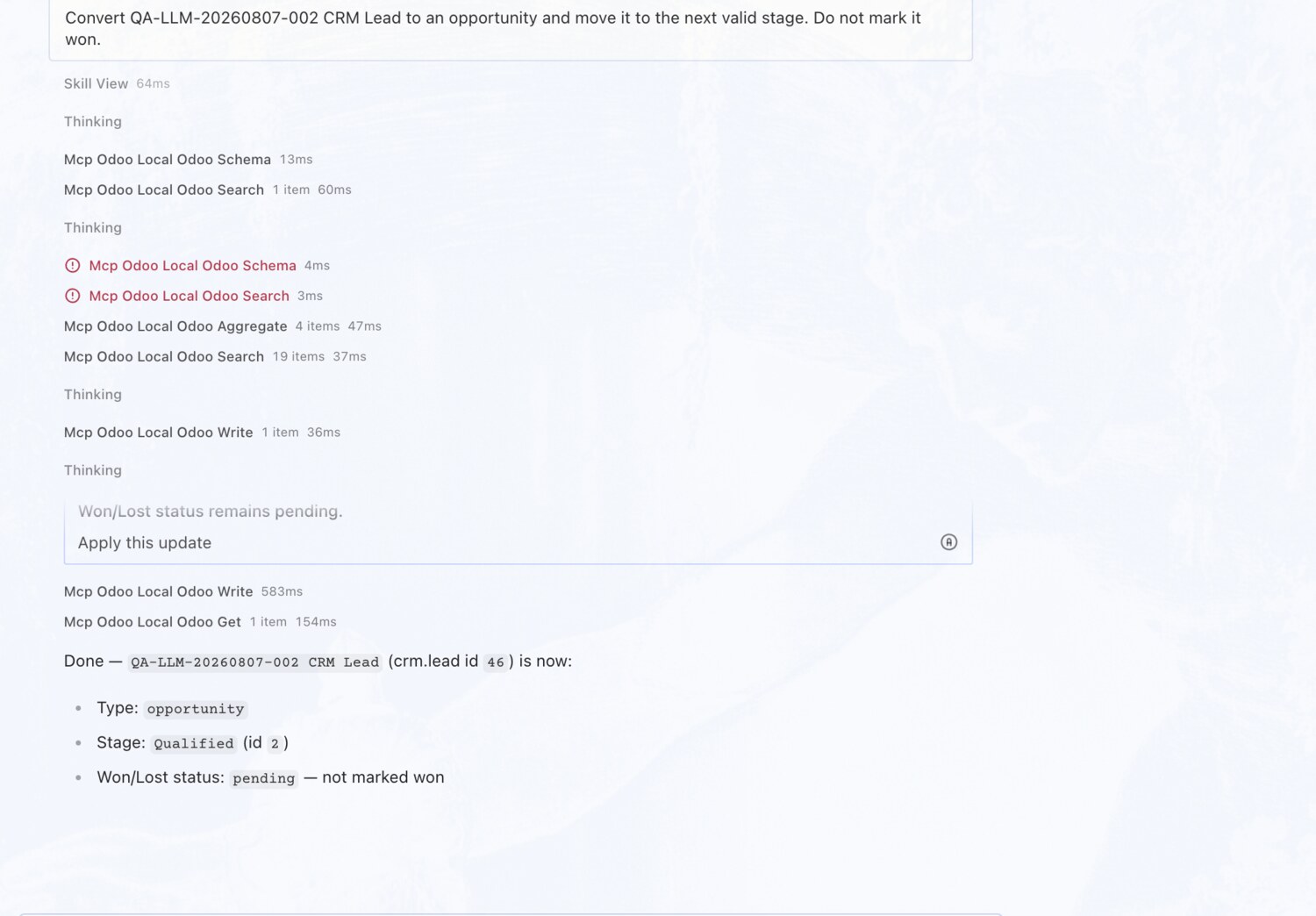
You askConvert the lead to an opportunity and move it to the next valid stage. Do not mark it won.

What you get backIdentifies the real next stage (New โ†’ Qualified, not a guessed one) and is explicit that Won status is untouched.

Convert a lead to an opportunity โ€” OdooBridge agent screenshot โŒฅ click to enlarge
EXAMPLE 05

Mark an opportunity won โ€” with the facts first

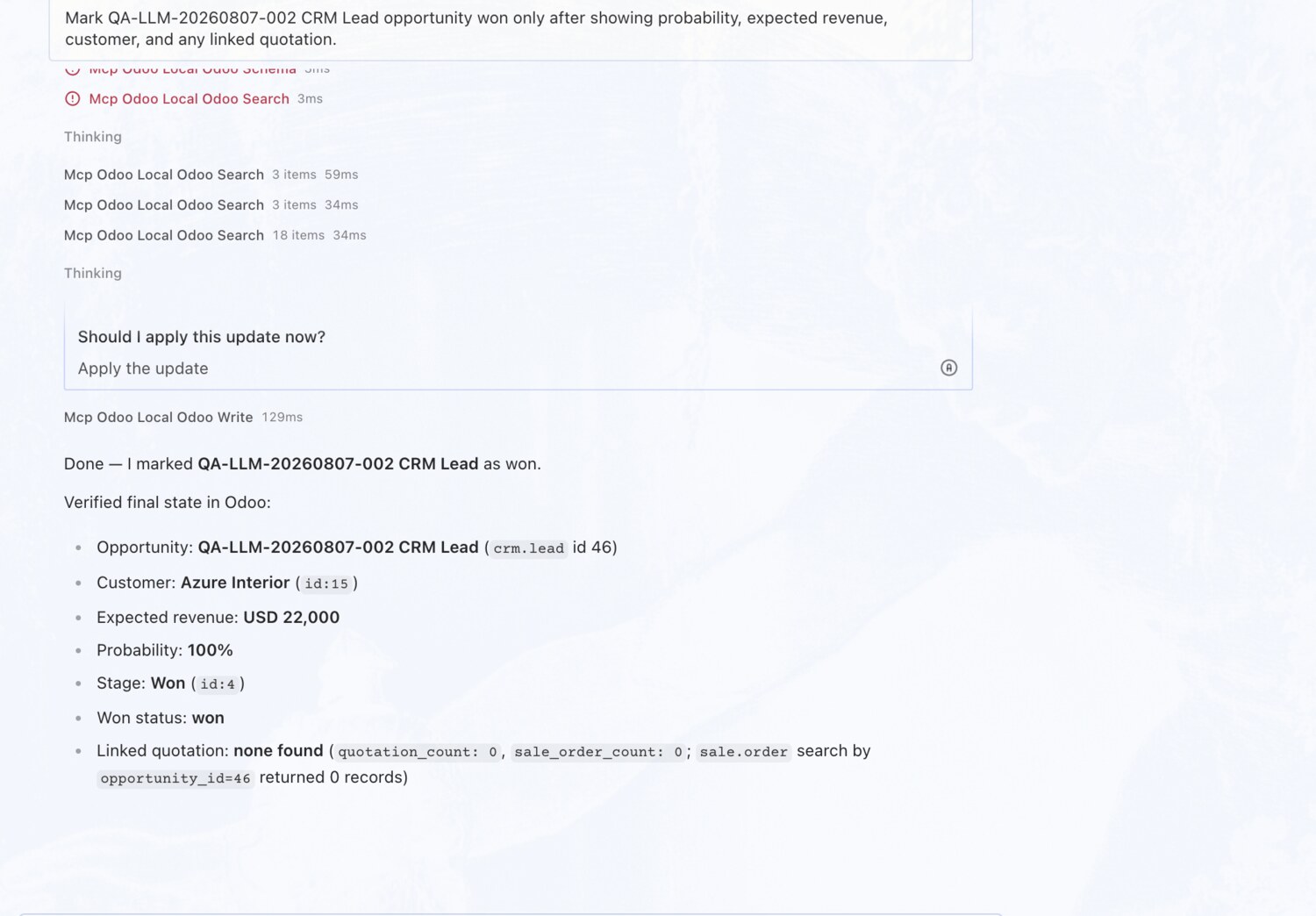
You askMark the opportunity won only after showing probability, expected revenue, customer, and any linked quotation.

What you get backShows the customer, probability, expected revenue and linked quotations up front, then asks to proceed โ€” so "won" is a decision, not a reflex.

Mark an opportunity won โ€” with the facts first โ€” OdooBridge agent screenshot โŒฅ click to enlarge
EXAMPLE 06

Archive an opportunity, keep it in reporting

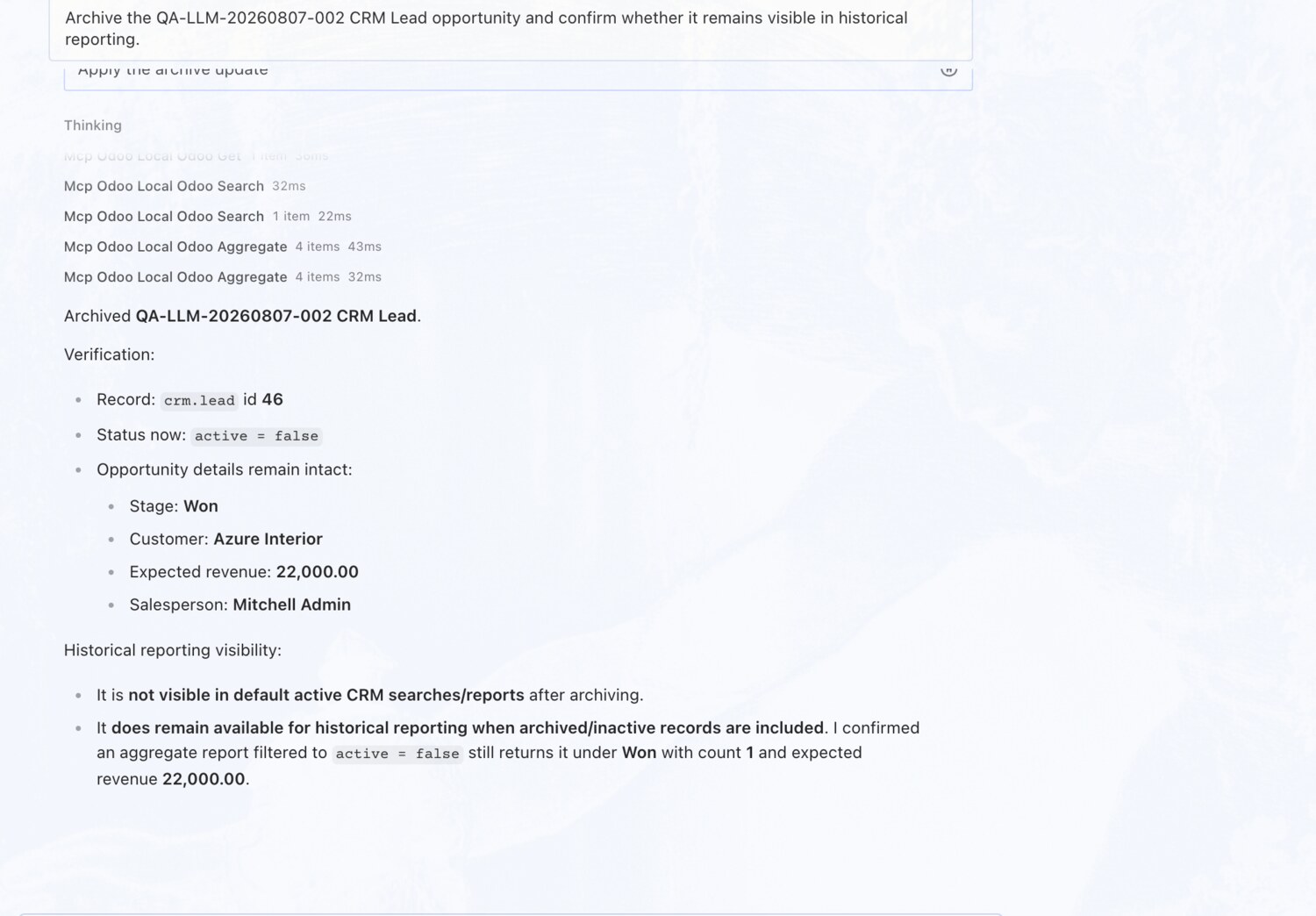
You askArchive the opportunity and confirm whether it remains visible in historical reporting.

What you get backArchives the opportunity and verifies it โ€” the record stays intact and remains available to historical reporting.

Archive an opportunity, keep it in reporting โ€” OdooBridge agent screenshot โŒฅ click to enlarge
Try these on your own Odoo →